Every launcher. One place.
Your games are scattered across stores and launchers. GameBox pulls them into a single library, so everything you own is finally in one place.
GameBox by That’s Life Media
Coming soon
Your games. Every launcher. One place.
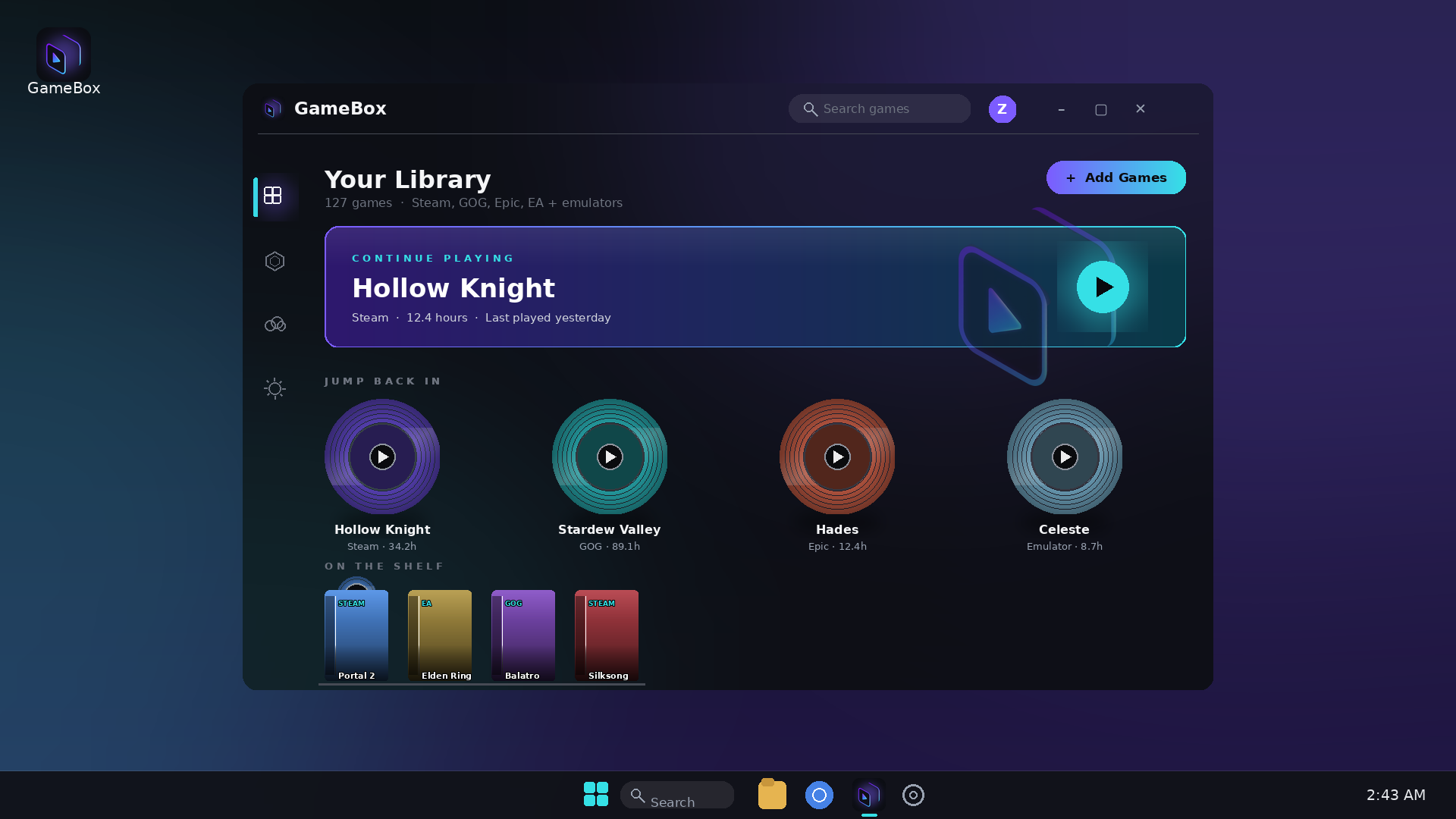
GameBox brings your whole PC collection together in one beautiful library — with a physical disc-shelf feel, a controller-first Gamer Mode, and automatic artwork for your games. Free for Windows.
Free for Windows · Launching soon
Trailer
Features
Your games are scattered across stores and launchers. GameBox pulls them into a single library, so everything you own is finally in one place.
Jump Back In shows your recent games as physical discs; On the Shelf lines up your collection as game cases. Browsing your library feels like browsing your shelf.
Kick back with a controller. Gamer Mode gives GameBox a full-screen, console-style interface built for the couch — no mouse required.
GameBox fetches cover art and details for your games automatically, so your shelf looks as good as the games on it.
GameBox backs up your saves automatically wherever a vetted rule exists for that game’s save location — and helps you back up the rest with assisted backup. No digging through folders.
The GameBox desktop app is free and works without a subscription. Your library stays yours — GameBox Cloud is an optional upgrade, never a requirement.
GameBox Cloud
Coming soon
GameBox Cloud adds automatic encrypted save backup and cross-device sync. Your saves are encrypted before they leave your device — only your devices can read them.
$7.99/month planned
Pricing
Coming soon
$0 forever
The free local app for Windows.
Coming soon
$7.99/month
Your library follows you.
FAQ
GameBox is coming soon — we’re putting the finishing touches on the launch. Join the waitlist above and we’ll email you the moment it’s ready.
Yes. GameBox for Windows will be free. It isn’t a trial — the local library manager stays free, and Cloud is an optional upgrade.
Automatic backup works wherever GameBox has a vetted rule for that game’s save location. For games without a vetted rule yet, assisted backup helps you protect your saves manually. We don’t claim coverage we haven’t verified — the list of vetted rules grows over time.
With GameBox Cloud, your saves are encrypted before they leave your device and stay encrypted in transit and in storage, so only your devices can read them.
After the main launch. Join the waitlist and we’ll let you know when Cloud opens up — you can also follow @gameboxcloud on Instagram for announcements.
Yes, the GameBox desktop app is built for Windows at launch.